
Native Agentic Design
Part 5 of 8: The Capability Expansion Series


A few months ago I realized my design practice had quietly migrated out of Figma and my center of creative gravity had shifted. The place where I was making the most consequential design decisions was a terminal window running Claude Code and a browser showing a live prototype. Yeah, I’m still designing interfaces and thinking about user flows and information hierarchy and how people experience the UI. But the relationship between me and the artifact has changed, and I think it’s changed forever 😱.
My New Design Process
First, I gather context. Research findings from user studies, strategic direction for the product, design system patterns we’ve established, competitive references, stakeholder constraints, and of course, my notes and thoughts on the topic. All of this gets organized into a local folder structure that the agent can read: research, strategy, taste, design-system, stakeholders.
Second, I work with an agent (mostly Claude and Codex), in terminal, building and iterating on live prototypes. I often go through multiple iteration cycles in a session, each one refining the prototype based on something I noticed, something a stakeholder said, something the data showed.
Third, I’ll push my changes to Github as a project and regularly update it as I make changes. But I realized that I was missing something pretty important as I iterated my designs.
My Moment Of Insight — Building Contextual
This is where the interesting thing started happening. Using the approach above, I would go through ten, fifteen, twenty iteration cycles in a session. And each of those cycles contained decisions. Why I chose this layout over that one. Why the spacing needed to be tighter here. Why the information hierarchy needed to change based on what I learned. All of that reasoning lived in the conversation, in the back-and-forth between me and the agent. And when the session ended, it disappeared.
That’s the insight that changed everything for me. The iterations themselves are context. Every pass through a prototype contains design reasoning, discovered constraints, refined understanding of what the user needs. When that context evaporates at the end of a session, you’re not just losing a conversation log. You’re losing the compound understanding that built up across twenty rounds of refinement. The next session starts from a weaker position because the agent has to re-learn what you already taught it.
Contextual (currently in Alpha) — https://github.com/chupacabralito/contextual — is a local-first sidecar that gives repo-native agents a context corpus and pass memory. At its core is an annotation toolbar that works in the browser alongside the live prototype. You point at a specific element, write a refinement instruction, or attach context references using @source directives that tell the agent where to look for guidance, and submit it as a structured pass. The passes persist. They accumulate. Each one carries the context that informed it, and the next pass benefits from everything that came before.
When I started using this tool it had a dual effect I didn’t fully anticipate. The toolbar gives the agent div-level precision about what needs to change, which dramatically improves the quality of each edit because the agent isn’t guessing which element you’re talking about, and the accumulated passes become a compounding context library. The agent doesn’t just know what the prototype looks like right now; it knows why it looks that way, what was tried before, what worked, what didn’t, and what research or strategic context drove each decision. The project gets smarter with every iteration.
The Contextual Approach
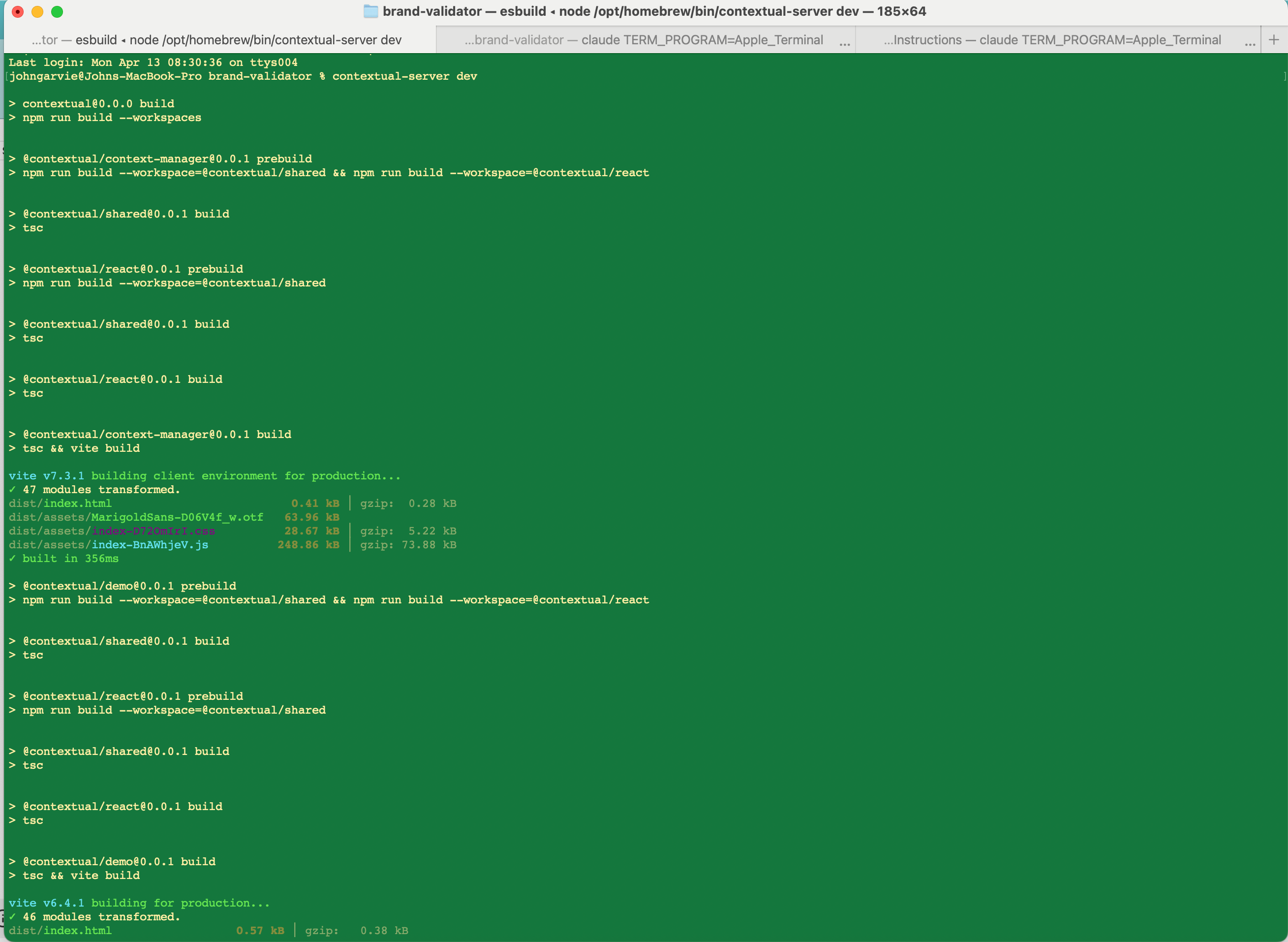
Now my design process is all in terminal, but now using Contextual. When I’m working on a project, I first use the terminal to initiate Contextual and pair my terminal.
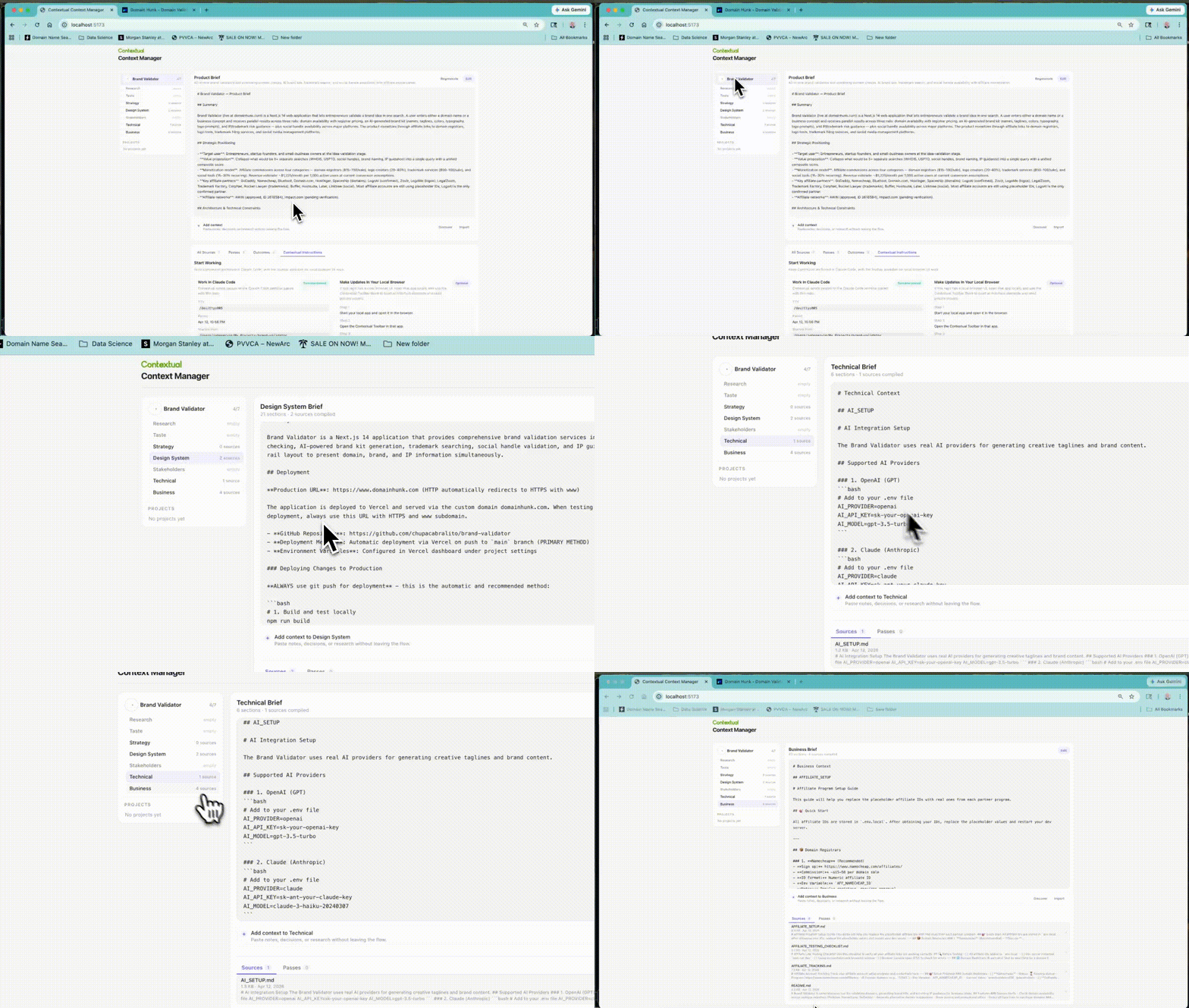
Next, I load up the Contextual Context Manager, which automatically pulls together research, strategy, taste references, whatever the project needs. I can manually pull in context, and Contextual then organizes it into the context folders like /research, /strategy, /technical, etc. so the agent has a baseline understanding of the project before we start.
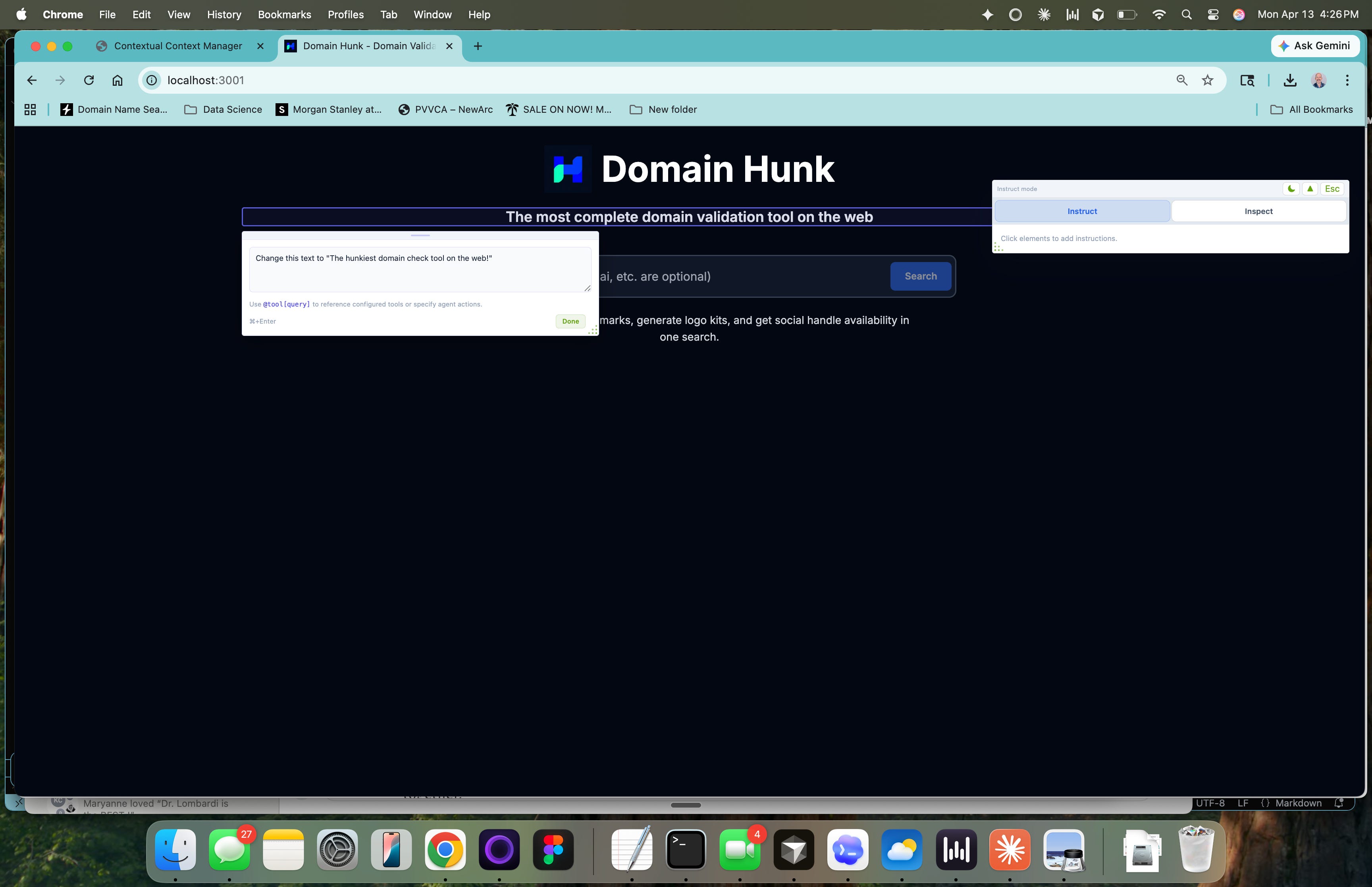
Then I work in the browser, using the toolbar to do rounds of passes. Point at an element, write the instruction, reference the relevant context, submit. The agent executes in Claude Code, the prototype updates, I evaluate, and the next pass starts from a richer foundation.
The first pass on a new project is always the weakest. The agent has the context folders but hasn’t built up iteration history yet. By the fifth pass, something shifts. The agent starts making connections between the research findings and the design decisions in ways that feel like working with a teammate who’s been on the project for weeks. By the twentieth pass, the accumulated context is deep enough that I can write a sparse instruction and the agent fills in the reasoning from everything we’ve built together.
This compounds across sessions, not just within them. Because the passes persist in the repo as structured artifacts, I can pick up a project after a week away and the agent still knows everything. The context didn’t evaporate. It’s all there, organized, searchable, growing.
Designing With And For Agents
The main reframe in my practice now is that I’m designing the context infrastructure that enables agents to help me design products. The annotation toolbar, the context folders, the pass persistence, the @source directives, all of this is the design work. It’s designing for agents that execute my design perspective and demands.
This is a fundamentally different skill than what most designers have trained for. We spent years learning visual hierarchy, interaction patterns, user research methods, design systems thinking. All of that still matters, every bit of it. But there’s a new layer now, and it’s all about how do you structure your taste and accumulated understanding of users so that an agent can apply it consistently across hundreds of decisions.
The designers I know who are doing this well have stopped thinking of AI as a feature inside their existing tools and started thinking of it as a teammate that needs to be taught. The teaching happens through accumulated, structured, persistent context that grows with every project.
Terminal Is Where the Focus Is
I want to address something that makes people uncomfortable. I work in terminal now. Claude Code, command line, text-based interaction with an agent that builds and modifies live software. This is not what most designers imagined their workflow would look like. And I get it. Terminal feels like a step backward if you think design is fundamentally a visual activity.
Terminal strips away everything except the thinking. When I’m in Claude Code, I’m not arranging layers or nudging pixels or managing component variants. I’m articulating what needs to exist, why it needs to exist, and how it should behave. The agent handles the construction. My job is to be precise about intent, and precision about intent turns out to be the hard part of design, the part that no amount of tool proficiency can substitute for.
The browser is where I evaluate. I see the live prototype, I interact with it, I notice what works and what doesn’t. The toolbar is where I capture that evaluation and turn it into actionable refinement. And Claude Code is where the execution happens. This loop, terminal to browser to toolbar to terminal, is faster and more focused than anything I’ve experienced in a traditional design tool because every cycle produces both a better artifact and richer context for the next cycle.
As Steve Jobs once famously quipped, "You've got to show me some stuff, and I'll know it when I see it” — this is how I feel about my new process with Contextual. I’m able to respond instantly to the stimuli, push rapid feedback and quality assessments instantly. It’s this workflow that enables me to thoughtfully apply my 20+ years of curated craft.
Delegate Your Craft Bar
If you’re a designer and you’re still treating AI as an efficiency boost inside your current workflow, you’re optimizing for a practice that’s already dissolving. The designers who will define the next era are the ones figuring out how to work with agents to design the systems that teach agents what your bar for quality and craft looks like.
The tools, the medium, and the craft itself are all shifting at once. Your expertise doesn’t live in the output anymore; it lives in the context that produced the output.
I spent ten years building design expertise across research, product thinking, systems design, and strategic leadership. All of that knowledge is more valuable now than it’s ever been, because it’s exactly the kind of context that separates generic AI output from work that actually solves the right problems. But only if I can externalize it and make it available to the agents I work with every day.
That’s the new design challenge, and the designers who figure it out will have compounding leverage that gets stronger with every project. The ones who wait will find themselves in the same position as the specialists I wrote about in Part 1: wondering why the bottleneck suddenly feels like it’s them.
---
Try Contextual. It’s open source, local-first, and built for anyone working with repo-native agents like Claude Code, Cursor, or Codex. Install it, organize your project context, and see what happens when your agent starts every session with real knowledge about your project: [github.com/chupacabralito/contextual].
Drop me a line in the comments about how you use it.
---
John Garvie is Head of Design at Evisort AI (Workday). He was previously Director of Design at Amplitude and Design Director at Uber, where he was the first UX Researcher to transition into design leadership. He led research for 130M+ users across Uber Eats and Uber for Business, and was one of the first UX Researchers at LinkedIn’s advertising business (now $4.2B). His work focuses on capability expansion, context-driven design, and building systems that enable teams to discover faster.
P.S. The craft was never the pixels. It was always the thinking behind them. AI just made that obvious by handling the pixels for you. The question is whether you’ve been building context or just building screens.